Today Article about Lightweight Task Manager Apps for Android. Many peoples want apps thay can manage task easliy so today i am show some apps thay can help you.
A quieter way to hold your day
Most of us don’t need a command center.
We need a place to set things down.
A small shelf for the next honest step.
Lightweight task managers honor that.
They help you breathe, then get out of the way.
How we chose with care
We looked for apps that feel light in the hand and quiet in the mind.
Fast capture. Uncomplicated lists. Few decisions.
No hard sell.
When the app disappears and the task remains, that’s the point.
The shortlist, told as small rooms
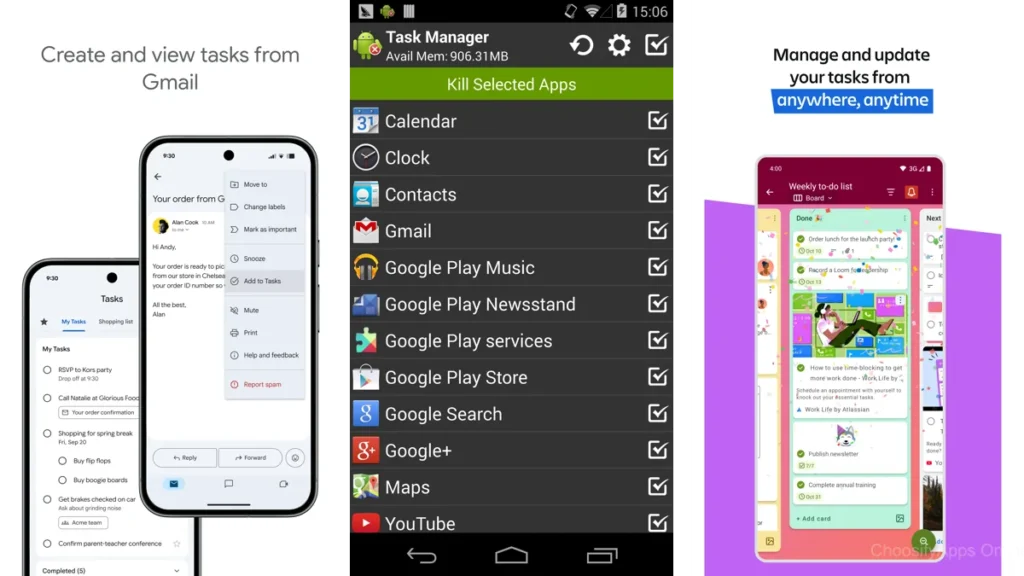
Google Tasks — the little shelf inside Gmail
If your life already runs through Gmail and Google Calendar, Google Tasks is the shelf that’s already on your wall. Create a task from an email, star a few essentials, add a due date, and move on. It’s plain in the best way, and you never wonder where to click.
Tasks (Pocket Brilliance) — a clean, private drawer
This one feels like a well-made wooden drawer: smooth, sturdy, quiet. No ads. Thoughtful widgets. Filters and tags if you want them, but nothing screams for attention. It respects your pace and your privacy.
Microsoft To Do — a shared family table
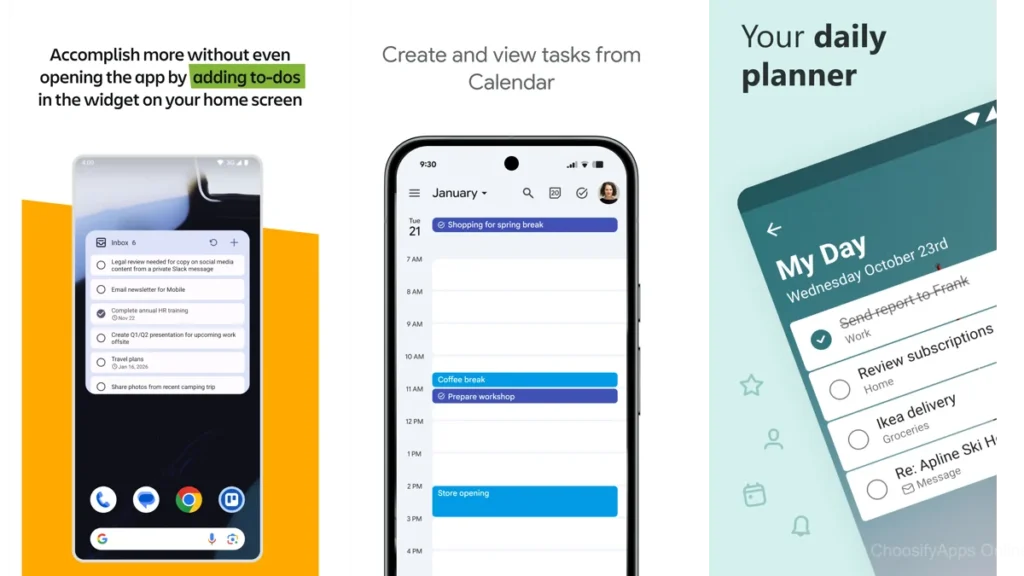
For groceries, chores, and “don’t forget the forms,” Microsoft To Do is the gentle shared table. Everyone sees what’s next, “My Day” keeps the list small, and the app stays friendly even when you’re tired.
Todoist — a tidy workshop you can grow into
Todoist is like a well-lit workshop. Quick Add (with natural-language dates) is a joy; sections and boards are there when your projects need more shape. It can be more than you need, but used lightly, it’s wonderfully swift.
TickTick — a calm desk with a timer
If you like one surface for tasks, calendar, and a focus timer, TickTick offers exactly that without fuss. Start a Pomodoro, glance at your day, and keep moving. It stays elegant even as lists get longer.
Any.do — calendar and list in one quiet pane
Any.do blends a simple list with a simple calendar. The daily view is a small ritual: drag, drop, and decide what gets your attention. It resists clutter if you let it.
SplenDO — the dependable clipboard
This is the app you hand to someone who just wants a list that reminds them on time. Voice add, reliable widgets, and Google Tasks sync if you need it. Very few surprises.
Tasks.org — the open notebook
Open-source, privacy-minded, and surprisingly deep without feeling heavy. Works offline, syncs with popular services, and lets you craft repeats exactly how you like. It’s for people who enjoy sturdy tools.
Tweek — a paper-week on glass
Tweek looks like a paper planner. Your week breathes. Fewer taps, fewer choices, less noise. Perfect if you think in weeks and like to keep plans human-sized.
Taskito — a day laid out like a path
Taskito turns your day into a simple timeline. Tasks, notes, maybe a habit or two—laid out in order so you can just follow the line. Great for gentle time-blocking without a hard grid.
Remember The Milk — the classic cabinet
Fast lists, smart tags, powerful search. It’s a cabinet with well-labeled drawers. If you like lists that scale but still feel immediate, RTM remains a steady choice.
Zenkit To Do — the Wunderlist-like corner
A familiar, understated space for straightforward lists and sharing. Keep to the basics and it stays graceful.
Orgzly — the plain-text shelf
For plain-text people. Outline your life, sync simple files, and keep everything portable. It’s as light as text.
At-a-glance comparison (plain words, no specs)
| App | Best for | Why it feels light |
|---|---|---|
| Google Tasks | Gmail/Calendar people | Already there; almost zero setup. |
| Tasks (Pocket Brilliance) | Solo lists, privacy | No ads, clean flow. |
| Microsoft To Do | Couples/families | Shared lists that stay friendly. |
| TickTick | Focused workdays | Tasks + calendar + timer in one. |
| Tweek | Visual weekly planners | Paper-like weekly view. |
| Tasks.org | Offline/open-source fans | Text-first, private, precise repeats. |
Which one should you choose?
If you live in Gmail or Calendar
Choose Google Tasks. You’ll add tasks straight from email and never think about sync again.
If you crave privacy and focus
Pick Tasks (Pocket Brilliance) or Tasks.org. Both feel intentional; one is ad-free with a gentle UI, the other is open-source and happily offline.
If you plan as a household or duo
Go with Microsoft To Do. Shared lists feel natural, and “My Day” keeps things small.
If you like a weekly paper feel
Tweek is a calm, week-at-a-glance companion.
If you time-block or want one surface for the day
Try Taskito (timeline) or TickTick (calendar + timer). Both keep busy days readable.
If you need something that can grow
Choose Todoist. Start with Quick Add and a Today list; add sections/boards only when the work asks for it.
Gentle setup tips (keep it small)
One inbox, three lists, one daily view
Create a single Inbox for every idea.
Keep a short Soon list for this week.
Each morning, move a handful into Today.
That’s the system. Nothing else.
Recurring tasks without the rut
Set repeats for only what truly repeats. Bills, meds, trash day.
Everything else earns its place. If it matters again, it will return.
Widgets that whisper, not shout
Use one small widget—Today only.
Let it be a quiet reminder rather than another dashboard.
Common traps to avoid
Ten tags that tell you nothing
Too many labels slow you down. Five or fewer is plenty.
Turning your list into a guilt museum
Old tasks aren’t character flaws. Archive freely. Start fresh when the list feels heavy.
Small notes from the reviews
Even beloved apps have edges.
Some Todoist users mention pricing changes or free-tier limits—plan accordingly.
SplenDO fans note more aggressive ads lately; the paid version or Google Tasks sync may be a calmer path.
Tweek users love the look but mention occasional reminder oddities; keep critical dates elsewhere too.
Taskito’s timeline is lovely; a few features sit behind a paywall—try before committing.
These aren’t deal-breakers. Just gentle signposts.
FAQ
Will a lightweight app handle projects?
Yes—if you define “project” as a small list with a handful of steps. When you outgrow that, apps like Todoist or TickTick expand without forcing complexity.
What if I need shared lists?
Microsoft To Do makes sharing easy. Todoist and TickTick also share well if you need more structure.
Can I keep everything offline?
Tasks.org and Orgzly both work happily offline and respect plain text and privacy.
Is calendar integration necessary?
Not always. If you think in dates and time blocks, TickTick or Taskito help. If you just need a short list, Google Tasks or Tasks (Pocket Brilliance) is enough.
Where can I learn a simple prioritization method?
The Eisenhower Matrix is a humane starting point; plenty of gentle explainers exist online. (You can also keep it simpler—Today, Soon, Someday is enough.)
Conclusion: A little more room to breathe
Some apps shout.
These do not.
A lightweight task manager isn’t about squeezing more into a day.
It’s about letting the right things surface, then clearing the table.
Pick one.
Give it a week.
Keep only what helps you breathe.
Technology should step aside after doing its job.
Calm is a feature.